Tutorial 7 of 7
Back up one large file and restore it after a checksum check
Beginner 4 min
Use Bundlekeep's Large-file backup for a single file up to 90 MB, verify the backup with its SHA-256 checksum and restore the original bytes.
Normal Bundlekeep backups collect many project files in one archive. A single big file, such as a long Reelcraft video project or a large photo, is easier to keep in its own backup. Large-file backup does that for one local file up to 90 MB and checks it again before you restore it.

Create a large-file backup
- Choose Backup → Large-file backup….
- Under Create a large-file backup, pick the file in File to back up.
- Choose Create large-file backup.
Bundlekeep shows the progress. Cancel operation stops it. When it is done, the backup downloads with the message Large-file backup downloaded. Keep it with your other backups. The file name ends in .bundlekeep-large.
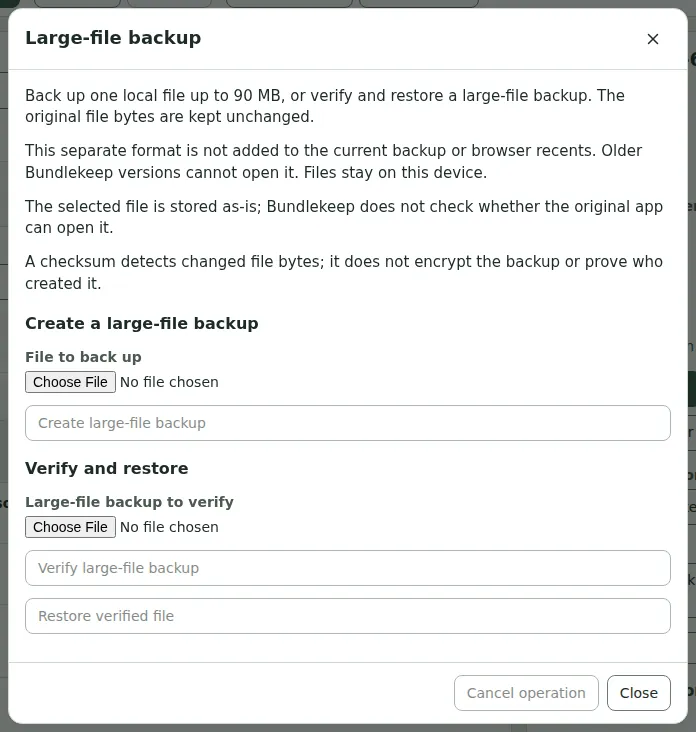
The original file bytes are kept unchanged. Bundlekeep stores the file as it is and does not check whether the original app can still open it, so test important files in their app as well.
Verify and restore
- Open Backup → Large-file backup… again.
- Under Verify and restore, choose the backup in Large-file backup to verify.
- Choose Verify large-file backup.
Bundlekeep recomputes the checksum of the stored bytes and compares it with the checksum saved in the backup. If they match, it reports Checksum verified: with the file name and size, and Restore verified file becomes available. Restoring downloads the original file; then open it in the app it came from.
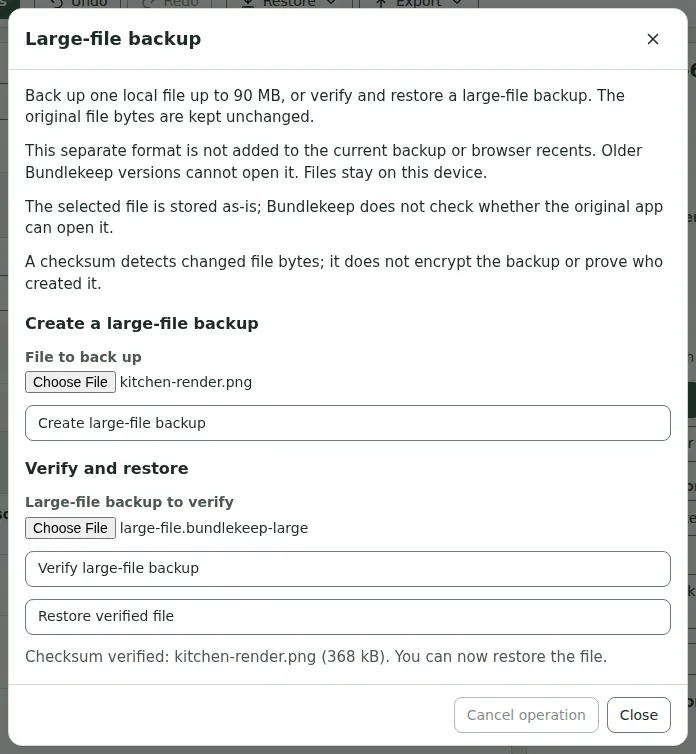
If the bytes were changed or the download was cut short, the check fails and nothing is restored.
What it is not
- The large-file backup is a separate format. It is not added to the current backup or to Recent backups…, and older Bundlekeep versions cannot open it.
- A checksum detects changed bytes. It does not encrypt the backup and does not prove who created it. Store backups of private files somewhere you trust.
- Scan apps still skips saved projects above 10 MB per project; Bundlekeep then tells you how many entries were too large and asks you to export them directly from their app. Large-file backup is the way to keep such an exported file safe.
Ready to try it?